Architecting Browser-Based Cloud Gaming

Key Takeaways
- •The fundamental change: Gaming Without Dedicated Clients
- •Deconstructing the Cloud Gaming Streaming Pipeline
- •Latency: The Unseen Enemy of Cloud Gaming
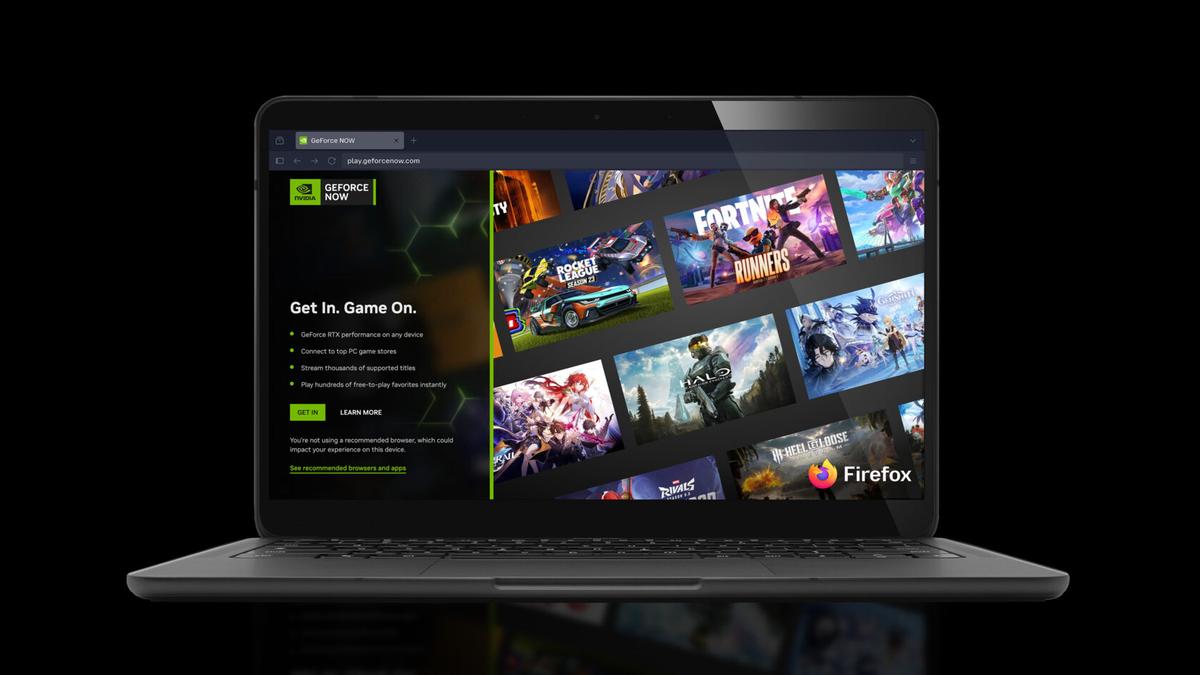
As technical directors, we constantly seek advancements that democratize access to high-fidelity interactive experiences. The recent announcement of GeForce NOW's support for the Firefox browser marks a significant stride in cloud gaming, enabling "high-performance PC gaming straight from the browser" without the need for a dedicated application. This seemingly simple accessibility upgrade hides a complex technical achievement, pushing the boundaries of what web browsers can deliver for demanding real-time applications.
This guide delves into the intricate technical architecture required to deliver a high-performance cloud gaming experience within the confines of a web browser. We will explore the challenges of latency, fidelity, and resource management, and discuss the underlying web technologies that make such a feat possible, using GeForce NOW's Firefox integration as a prime example of this evolving landscape.
The fundamental change: Gaming Without Dedicated Clients
Traditionally, cloud gaming services have relied on custom-built desktop or mobile applications to provide the optimal user experience. These native clients offer fine-grained control over system resources, direct access to hardware acceleration, and optimized low-level networking. However, the promise of true "play anywhere" cloud gaming hinges on browser accessibility. The ability to launch a AAA title from any device with a modern web browser—be it a school laptop, a work PC, or a smart TV—significantly broadens the user base and simplifies the onboarding process.
The core technical challenge is to replicate the performance and responsiveness of a dedicated client within the more restrictive, sandboxed environment of a web browser. This involves overcoming several key hurdles related to streaming protocols, input latency, video decoding, and resource management.
Deconstructing the Cloud Gaming Streaming Pipeline
At its heart, cloud gaming is a real-time interactive video streaming service. The game runs on a powerful server in a data center, renders frames, encodes them into a video stream, and sends them over the internet to the client. The client decodes the video, displays it, captures user input, and sends that input back to the server. This entire round trip must occur with minimal delay to provide a fluid gaming experience.
Here's a simplified view of the cloud gaming streaming pipeline:
Each stage in this pipeline introduces potential latency, and minimizing this end-to-end delay is paramount for "high-performance" gaming.
Latency: The Unseen Enemy of Cloud Gaming
Latency is the most critical factor determining the perceived quality of a cloud gaming experience. For competitive or fast-paced games, even a few tens of milliseconds of additional lag can be detrimental. In a browser-based environment, several factors can contribute to increased latency:
1. Input Processing Latency: How quickly the browser detects and processes user input (keyboard, mouse, gamepad).
2. Network Latency: The time taken for input to reach the server and for video frames to return. This is largely unavoidable but can be mitigated with efficient protocols and server proximity.
3. Encoding/Decoding Latency: The time taken by the server to encode video and the client to decode it.
4. Browser Rendering Latency: The time taken for the browser's rendering engine to display the decoded video frame on screen.
To achieve "high-performance PC gaming," a browser-based client must aggressively optimize these latency components.
Note: Percentages are illustrative and vary widely based on network conditions, hardware, and specific implementations.
Key Technical Enablers for Browser-Based Streaming
1. Advanced Streaming Protocols
While technical specifications vary the exact protocols used by GeForce NOW, achieving "high-performance" in a browser typically relies on technologies that prioritize low-latency, real-time communication.
- WebRTC (Web Real-Time Communication): This open-source project enables real-time voice, video, and generic data communication directly between browsers (peer-to-peer) and also between browsers and servers. Its core strengths lie in its low-latency data channels, built-in NAT traversal, and robust error correction. WebRTC-based solutions often leverage UDP (User Datagram Protocol) for its speed, accepting minor packet loss for reduced latency, which is crucial for real-time interactive media.
- Custom Protocols over WebSockets: Some services might build custom binary protocols over WebSockets. While WebSockets provide a persistent, full-duplex communication channel over HTTP, they are TCP-based, which can introduce head-of-line blocking issues that increase latency if packets are lost or reordered. However, custom implementations can optimize data packing and flow control.
2. High-Efficiency Video Codecs and Hardware Acceleration
Delivering high-fidelity video at high frame rates (e.g., 60 FPS or higher) within a browser demands efficient video compression and rapid decoding.
- Modern Video Codecs: Codecs like H.264, VP9, and especially AV1 are essential. AV1, in particular, offers superior compression efficiency, meaning higher quality at lower bitrates or significantly reduced bandwidth usage for the same quality. Browser support for these codecs is critical, often leveraging dedicated hardware decoders present in modern GPUs.
- Hardware Video Decoding: The ability of the browser to offload video decoding to the client's GPU is a major breakthrough. This dramatically reduces CPU load, minimizes decoding latency, and allows for higher resolutions and frame rates. Browsers like Firefox expose APIs that allow web applications to utilize this hardware acceleration, which is vital for a "high-performance" claim.
3. Low-Latency Input Handling
The responsiveness of player input is paramount. Browser-based clients need to minimize the delay between a user action and the server's acknowledgment.
- Gamepad API: For controller input, the Gamepad API provides standardized, low-latency access to connected gamepads.
- Keyboard and Mouse Events: While standard JavaScript event listeners can introduce some overhead, modern browsers optimize these paths. Techniques like event debouncing and direct input sampling can further reduce latency.
- Input Prediction: A sophisticated client might employ client-side input prediction, where it anticipates the server's response based on local input, rendering a predicted outcome immediately. This can mask network latency, although mispredictions require visual correction.
4. Browser Rendering and Display Synchronization
Once the video frame is decoded, it needs to be displayed on the screen with minimal additional delay.
- WebGL/WebGPU: For advanced rendering and display, WebGL (and the upcoming WebGPU) allow web applications to access the client's GPU for rendering. This is crucial for compositing the decoded video stream and potentially any client-side UI elements with high performance.
- `requestAnimationFrame`: This browser API is designed for efficient animation, synchronizing updates with the browser's refresh rate. It helps ensure smooth video playback and reduces tearing.
- Web Audio API: For low-latency audio, the Web Audio API provides powerful capabilities for processing and playing back audio streams with precise timing, essential for immersive gaming.
Security and Sandboxing: The Browser's Inherent Advantage
One often-overlooked aspect of browser-based cloud gaming is the security model. Web browsers are inherently sandboxed environments. This means:
- Isolation: The cloud gaming stream and any client-side code run in an isolated environment, preventing direct access to the user's local file system or sensitive operating system functions.
- Reduced Attack Surface: Compared to a dedicated application, which might require extensive permissions, a browser-based client operates within strict security policies, reducing the potential for malware or exploits.
This inherent security posture is particularly beneficial for scenarios like "school laptops or everyday PCs" where users might be hesitant to install unknown software.
Advantages and Trade-offs
The decision to support browser-based cloud gaming, as seen with GeForce NOW and Firefox, comes with clear advantages and some inherent trade-offs.
Advantages:
- Unparalleled Accessibility: Play on virtually any device with a compatible browser, removing installation barriers. This is key to GeForce NOW's goal of making gaming "even easier to play supported PC games without downloading a dedicated app."
- Instant Play: No downloads, no updates. Click a link, and you're in the game.
- Platform Agnosticism: Reach users across Windows, macOS, Linux, ChromeOS, and even mobile devices without developing separate native clients for each.
- Simplified Updates: The client-side code is updated simply by refreshing the browser page, ensuring users always have the latest version.
Trade-offs:
- Performance Ceiling: Despite advancements, a browser's JavaScript engine and rendering pipeline might still introduce a slight overhead compared to a fully optimized native application with direct hardware access.
- Feature Limitations: Certain low-level system integrations (e.g., advanced peripheral support, specific display modes) might be more challenging or impossible within a browser sandbox.
- Browser Compatibility: Ensuring consistent performance and feature support across different browsers and their versions can be an ongoing development challenge.
- Resource Consumption: A browser tab running a high-performance cloud game can still be resource-intensive, particularly for older or less powerful client devices.
The Road Ahead: Future Browser Technologies
the current state of web technologies is continuously evolving, promising even greater capabilities for browser-based applications.
At White Cube Studios, we translate technical architecture into shipping systems across our specialized development pillars: